
Bills
In the bills menu, you can add new costs, edit existing ones, and delete them.
The bills are always displayed for one month. To select a specific month, you can choose it in the calendar window ( ).
).
To filter by Booker, you can select them from the drop-down menu ( ). Another filter option is to display reservations without invoices. To do this, select the corresponding filter from the menu (
 ).
).
You also have the option of exporting the bills as a CSV file. To do this, click on the  -button.
You can add a fee by selecting the corresponding Booker and clicking on the  -button. You can then enter the relevant data.
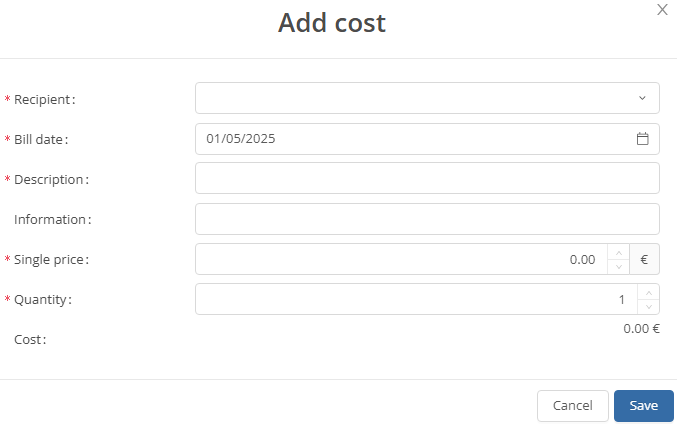
To edit an existing charge, you can click on the  -button. This will open the same window as when adding a charge.
You can delete an bill by clicking on the  -button and then confirming with "Yes".