
Fleet telemetry
In the fleet telemetry you can see information that is important for the rental of a vehicle. This includes, for example, the fuel level, whether the vehicle is connected to the charging station or whether the vehicle has been locked with the remote control.

You can use the  -button to show or hide details of the selected vehicle.
You can filter which vehicles are displayed in advance by either selecting a predefined filter or by selecting specific vehicles.
In the detailed view there are the points:
- General information
- Event value history
- Time based vehicle appointments and bookings
- Documents
General information:
The general information shows you what kind of vehicle it is, which device configuration is available, and more.
Event value history:
In the event history, you can display histories and graphs for data from the past. This includes:
- Event value voltage
- Battery level rate (%)
- Current filling level (l)
- Current filling level (%)
- Ignition
- Charging cable connected
- Battery charging
- Car closed
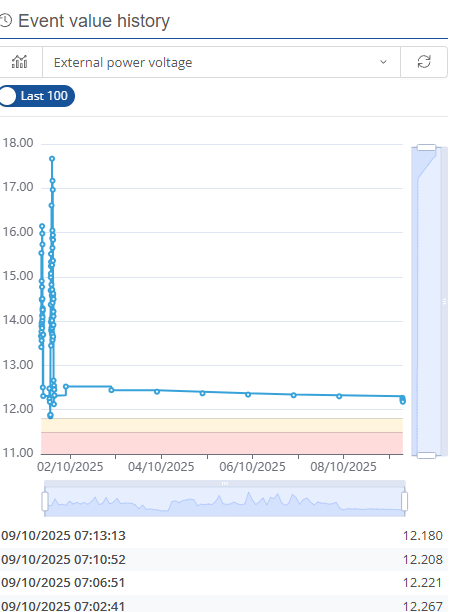
Here you can select whether the last 100 days should be displayed or whether it should be a specific period.
Time based vehicle appointments and bookings:
In the All vehicle bookings tab, you can see the vehicle bookings that have been set up for the vehicle. You have the option of creating new bookings and editing existing ones. You also have the option of using the slider to filter between active and all bookings.
Documents:
In the documents area, you can view the documents saved for a vehicle and create new ones. It is also possible to download a document.