Vehicle dashboard
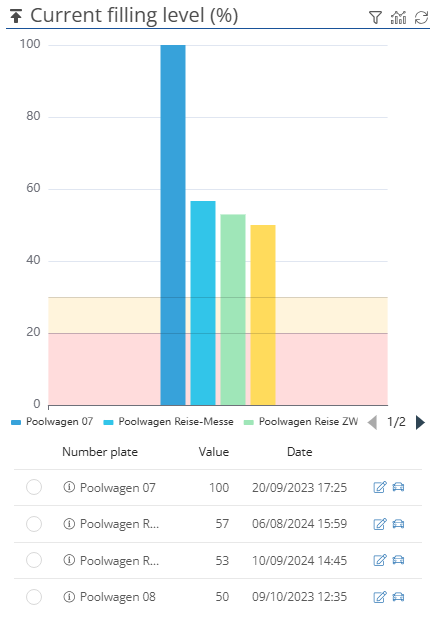
In the vehicle dashboard, you will see diagrams of actual vehicle values, which you can select using the  -button. In the standard view, you will see:
The vehicle voltage:

The battery capacity (e-vehicles):

The current tank level (in liters):

The current tank level (in %):
General dashboard settings:
You can use the  -button to set an automatic update of the dashboard. If you have selected a time, you will now be shown a timer (
 ) when the dashboard will be updated again.
You can use the  -button to apply filters according to which vehicles are selected for display in the dashboard. You can choose between preconfigured and self-created filters, but you also have the option of selecting individual vehicles. If a filter has been activated, the FIlter icon is displayed in red
  .
.
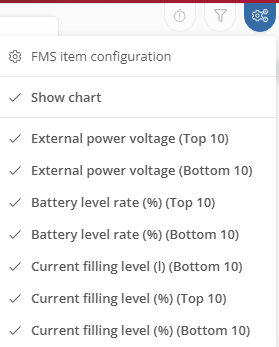
You can use the  -button to make view settings. Here you can select which data should be displayed in the dashboard.
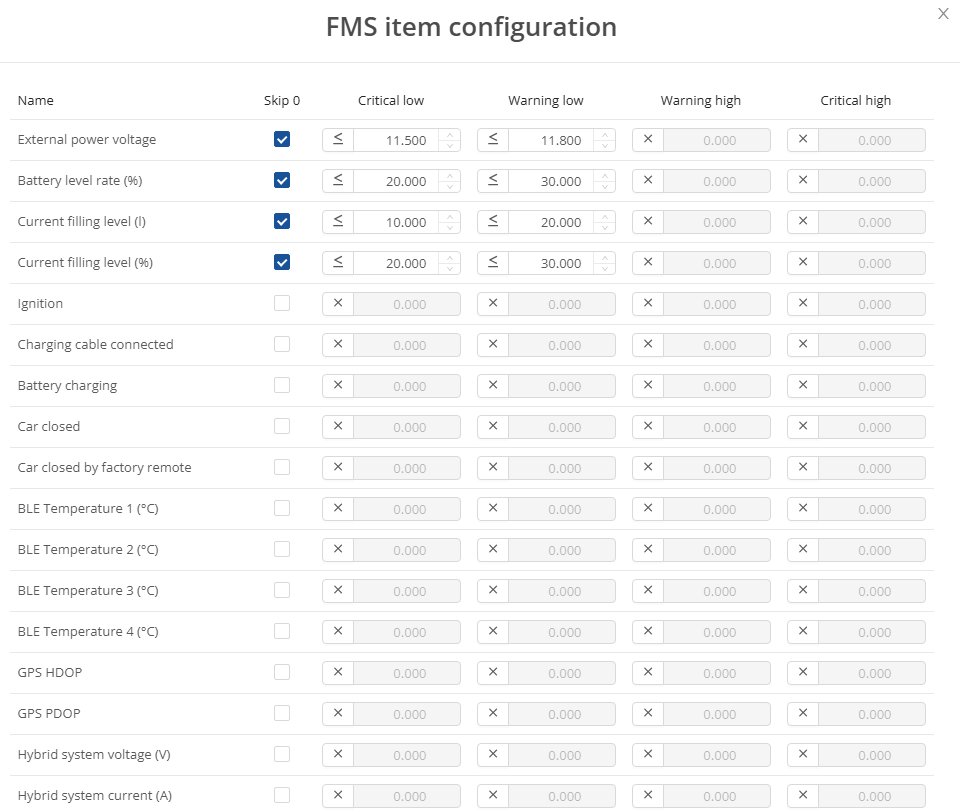
By clicking on  , you can apply critical limits, warnings and other filters. You can apply the settings by clicking the
  -button.