
Vehicle sales management
The view and settings for vehicle sales management can be found on the start page under Fleet Manager and the drop-down menu below.
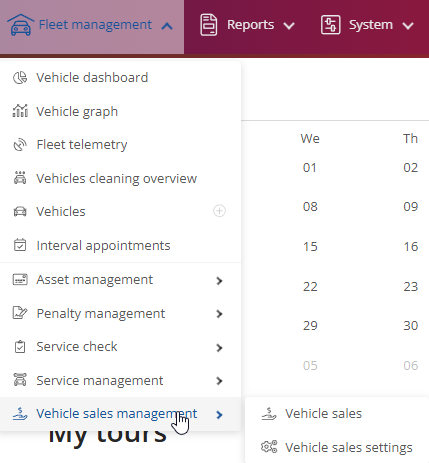
Vehicle sales:
If you click on Vehicle sales, you will be taken to the overview, where you will get a direct overview of the current registered vehicles that are in the sales process. You can refresh the page once via  .
.
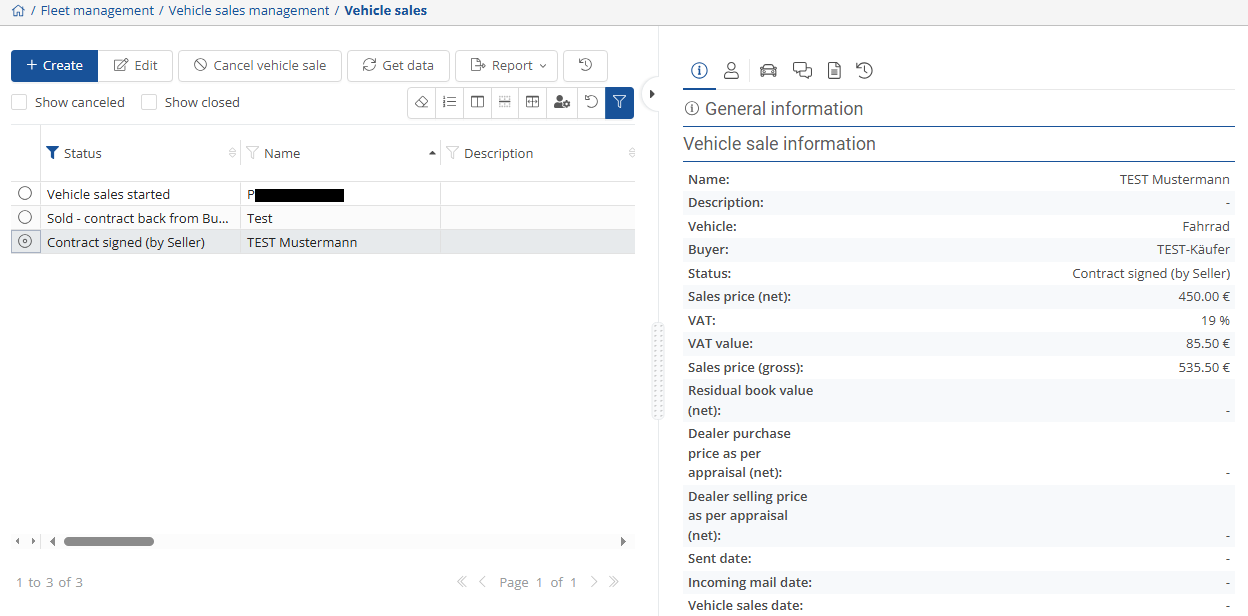
On the right-hand side, you will find general information on vehicle sales  and the creator details under
  . You can find the corresponding vehicle details under
  . There is also the forum function
  .
.
You can access the associated documents via  and the change log via
 .
.
You can edit or filter the view so that the desired information is displayed directly in the overview on the left-hand side. You can use the arrow to move the view.
Otherwise, click on the filter and select the items you want to be displayed.
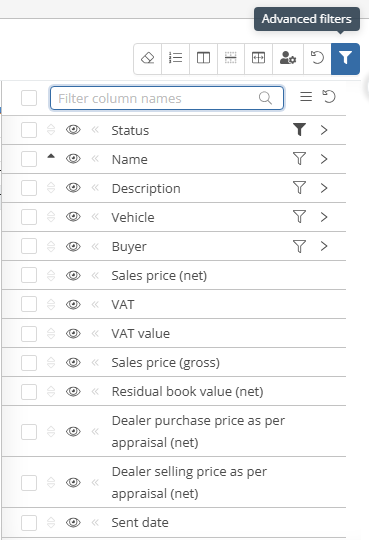
You can also display and hide the canceled and closed vehicles  .
.
You can use  to enter a new vehicle to be sold. This opens a new window where you can enter the data for the desired vehicle.
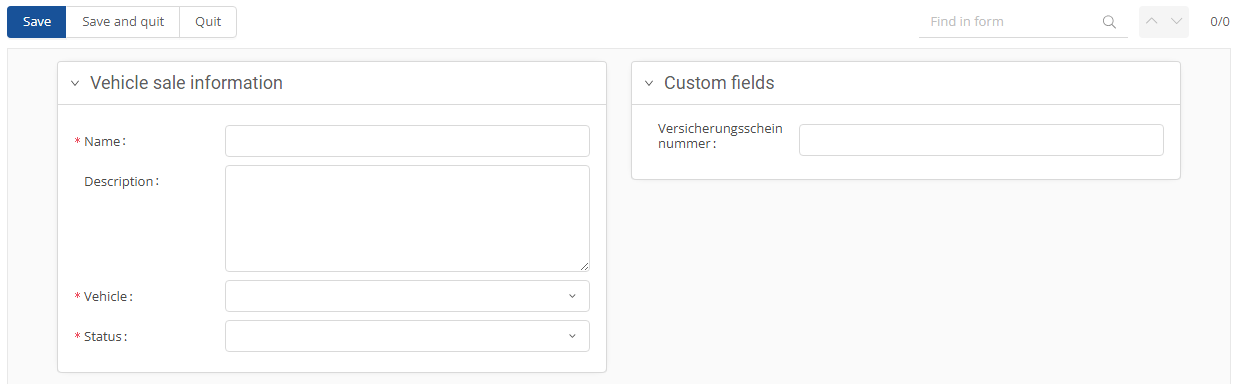
Once you have entered the required data, click on  .
.
If you would like to edit the sale or enter something, click on the desired vehicle and then on  . This will open a new window.
On one side you will see the current information and the mandatory fields where you may need to enter something to move the process forward.
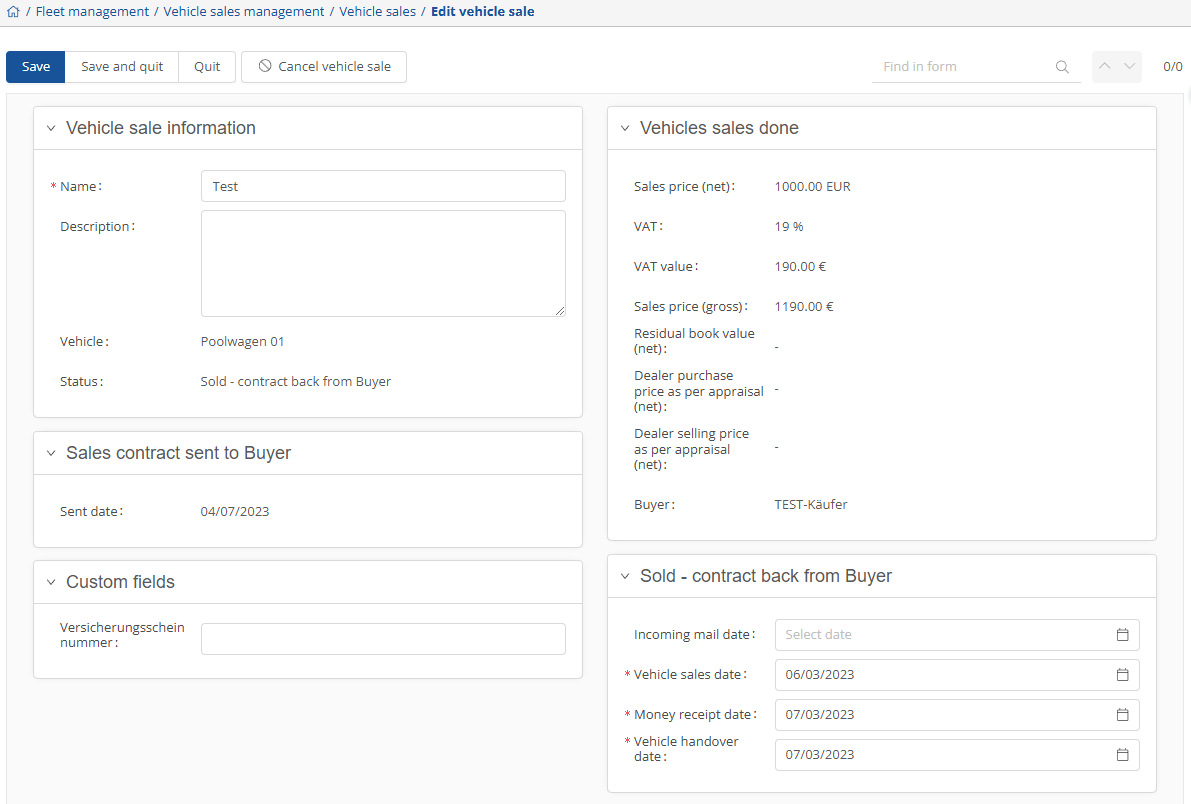
On the other side you will see the current status, which you can of course also edit by pressing on the numbers.

If you want to complete a step, the system will ask you each time to confirm that you are sure.
If you need to cancel the sale, click on the desired vehicle and select  .
.
Vehicle sales settings:
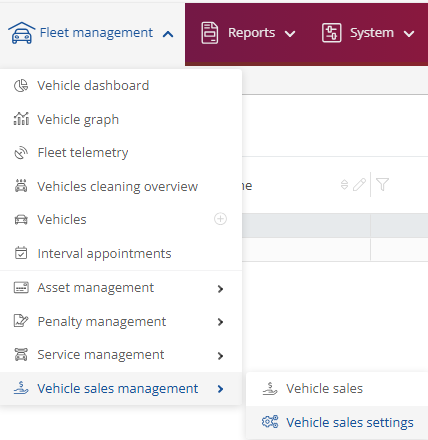
In the settings for sales management, you can add or save new user-defined fields via  , change them using
  and duplicate them by clicking
  .
.
If you want to change the status, press on  , where you can change the status to inactive or active. To update, click on
  .
.

You can also store a file template or a buyer, such as a car dealership.