
Alarm management
In alarm management, you can store alarms for a wide variety of circumstances and situations. First, when you select the  , you have the option of choosing between the suggested alarms or messages.
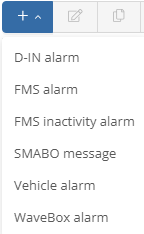
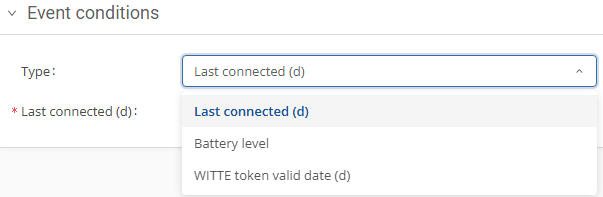
The events do not differ in the first point, Event Information. Here you must enter basic information such as the name of the event and the email address to which the message should be sent. The second field, Event Conditions, differs from event to event.
You can activate or deactivate alerts at any time using the Status Change button.

D-IN alarm:
If you want to set a D-IN alarm, you have several options in the event conditions field for when it should be activated. Using the field  ,
,
you can create the alarm for multiple D-INs.
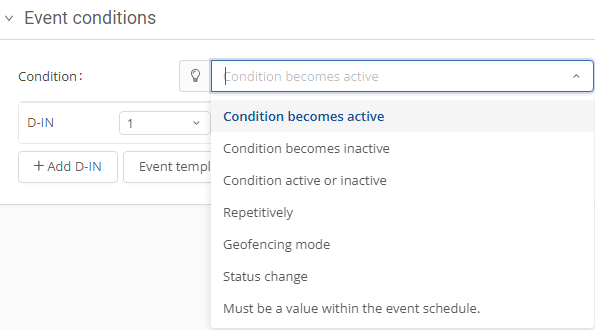
Vehicle alarm:
If you select the event type Vehicle alarm, you have various options under type.
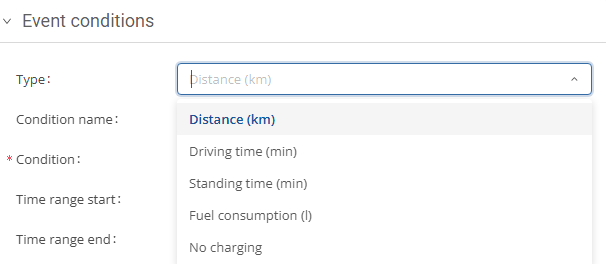
If you select the distance (km) option, you can specify the mileage at which an alarm should be triggered. Enter one or two mileage values under Condition. You can then define the condition under Condition name, e.g., whether the alarm is triggered when the mileage is greater than, less than, or within a certain range. You can also specify the period during which the alarm should be active at the bottom.
FlinkeyBox-alarm:
When you create a FlinkeyBox alarm, there is only one type: battery charge status. You can use the two fields to define when the alarm should be sent.

FMS alarm:
Under the event type FMS alarm, you can again choose from several types.

Under the condition option, you can define a value and under status name, you can specify when the alarm should be triggered in relation to this value.
You also have the option of determining the number of repetitions for the alarm.
SMABO message:
If you have installed SMABO devices, you can generate an alarm here.
On the right-hand side, when creating an alarm, you can assign vehicles or vehicle groups to it directly using the  or remove them by clicking on
  .
.
