
Leasing parameters
It is possible to store contract data for vehicles, such as leasing contracts.
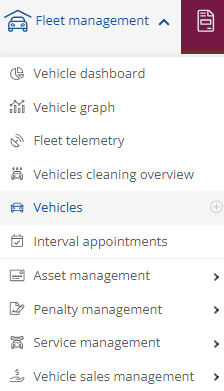
To do this, click on Vehicles under Fleet Manager to access the overview of your vehicles.
Then select the desired vehicle and look for this -icon in the toolbar
  on the right-hand side.
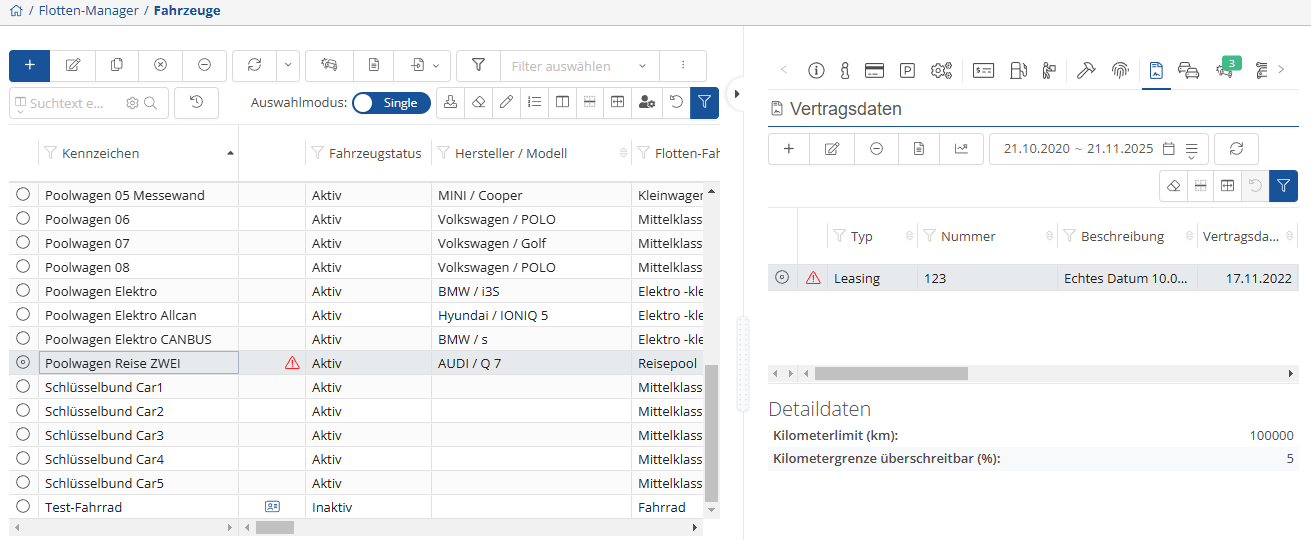
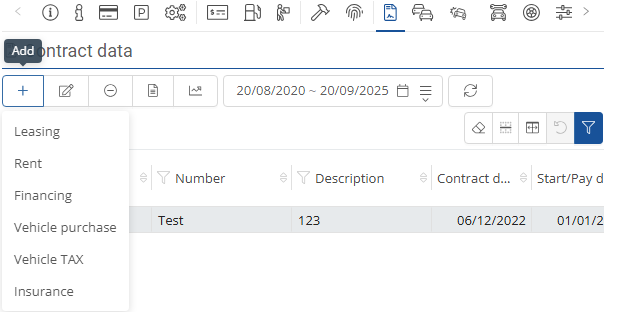
If nothing has been stored yet, you can do so via the  . When you select the
  , a drop-down menu will open where you can make your selection.
You can then enter the desired data and click on “ .”
.”
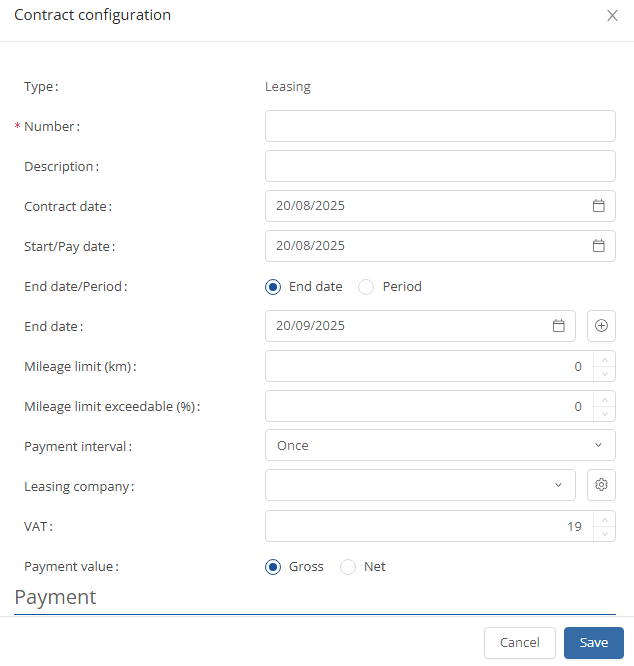
In addition, you can set that a vehicle should no longer be assigned once it has reached a certain mileage limit.
You can use  to set when the vehicle should be removed from the algorithm or when it has reached the contractual mileage.
